Chats online, random and one-on-one
Random 18+ video calls, camera and mic on.
Are you old enough for this chat?
Illustration only, not an actual screenshot
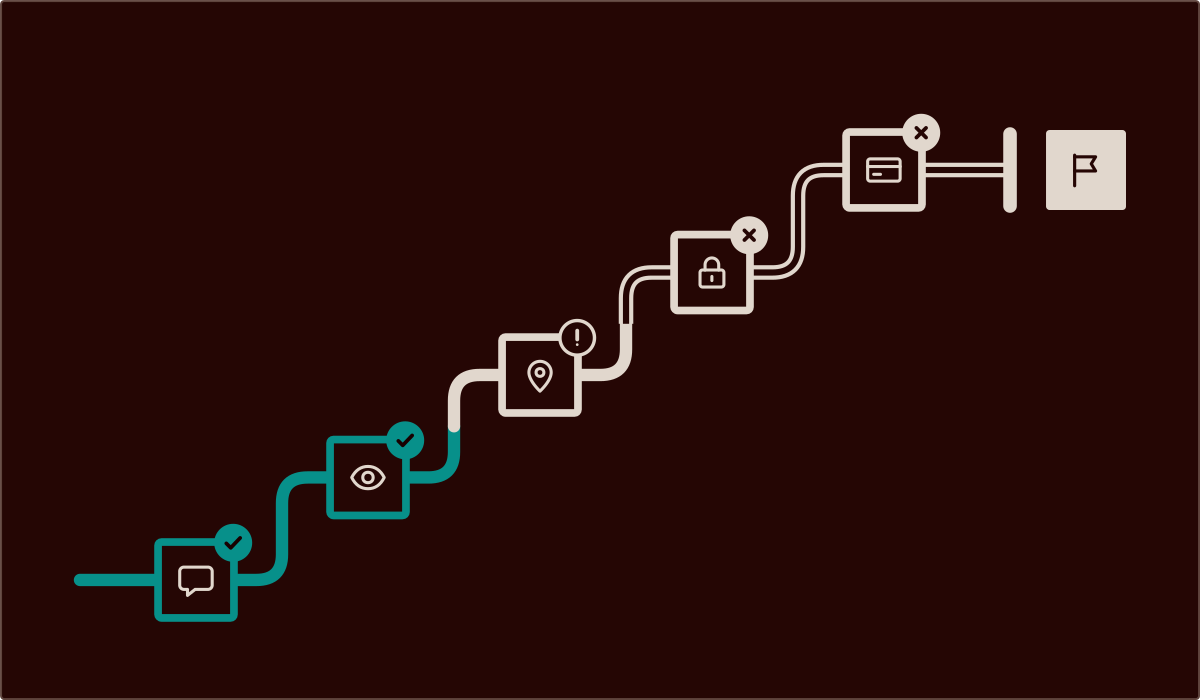
Chats online, as this site runs them, are live video calls with a new face each time, started from a phone or computer browser. This is a video chat site, and the chat behind the start button is our own: it opens in a window on this page, with no sign-up to start and nothing to install. Around it sit plain pages, from who runs Chats Online and the rules it writes by to a fix for a mic that Chrome blocks on Windows.
A first call in four steps
-
Clear the shot
Before the camera goes on, clear letters, bank cards, ID and name badges from view. Anyone watching can use screen capture or aim a second phone at the display, and nothing a website does will reliably stop it.
-
Press start
Press the start button and confirm you're 18 or over. Once the gender and language picks are made, matching starts on its own, and a new face appears when someone is found.
-
Leave any time
A match who turns rude or pushy is owed no goodbye. Shut the tab and the call drops there and then, whatever was being said. Mull it over afterwards, not mid-call, and start a fresh search only when ready.
-
Save, block, report
If threats or money demands follow a call, keep screenshots of them and of the sender's name, block the sender wherever the messages arrive, and report them to the police.
Three formats of chats online
Chats online come in three formats, and each one gives away a different amount. Typing hides both face and voice, which suits a noisy train or a quiet office. A voice call adds tone but no picture. Video shows the most: a bad match gives itself away fast, and so does whatever sits behind you.
Ours belongs to the third group, and not by accident. Our rules say a call needs both the camera and the microphone, and an audio chat with the camera off counts as a Premium feature. So every call here is a voice and video chat at once. Typing to random strangers isn't part of the deal.
The five services in the strip below handle typing in two ways. Umingle runs typed chat as its own mode, separate from video, and so does OmegleMe. BOTIM and imo offer typed messages alongside their calls. Whether Meetchi has a text mode is not stated.
Where each one lives differs just as much. Ours skips the download: it sits in a browser tab, on this very page. Umingle is also usable from a browser. OmegleMe is web-based and offers no app for Android or iPhone. BOTIM and imo lean the other way, each as a phone app on Android and iPhone; a browser version isn't mentioned for either. Meetchi does a bit of both, with a web version and an Android app.
The strip below lines the five up on cost, accounts, filters, apps and typed chat. All five were up and running at their latest check. MeetCam, ChatJoin and Parau come up next to these names too, but there's nothing on file about them yet, so they sit outside the strip.
Five chat services side by side, gaps marked Not listed
-
Umingle
-
Price Not listed
-
Sign-up No account needed
-
Gender filter Not listed
-
Country filter Not listed
-
App Works in browser
-
Text mode Separate text-only mode
-
-
BOTIM
-
Price Free with paid extras
-
Sign-up Not listed
-
Gender filter Not listed
-
Country filter Not listed
-
App No iOS app · Android app
-
Text mode Text available
-
-
imo
-
Price Free
-
Sign-up Not listed
-
Gender filter Not listed
-
Country filter Not listed
-
App No iOS app · Android app
-
Text mode Text available
-
-
OmegleMe
-
Price Free
-
Sign-up No account needed
-
Gender filter Not listed
-
Country filter Available, price unclear
-
App Works in browser
-
Text mode Separate text-only mode
-
-
Meetchi
-
Price Free with paid extras
-
Sign-up No account needed
-
Gender filter Paid filter
-
Country filter Paid filter
-
App Works in browser · Android app
-
Text mode Not listed
-
Comparing online chat sites fact by fact
Each row is one service and each column one fact. Price comes in three flavours: Free, Paid, and Free with paid extras for a service whose basics cost nothing while some features are sold on top. Sign-up says whether an account is needed before the first call, or merely offered.
The two filter columns say whether gender or country can be picked, and at what cost; Built into matching means the pick is part of the normal flow, not an add-on. The app column splits support into Android, iPhone and browser, one by one, and the text column tells a separate text-only mode apart from typing during a call. Each column reads across all five at once, so a quick scan down Sign-up settles the account question for every service in one go.
Not listed appears wherever a service publishes nothing on a point, so a gap stays visible instead of being papered over with a guess. A missing fact counts as unknown, never as a no.
Who does our video chat pair you with?
Pairing starts with the gender pick on the first screen. Our rules state that men using the chat are matched with women. Past that choice, it's chance. Nobody hand-picks who comes next, and every call is a fresh draw.
That design suits some people far better than others. It fits men keen to talk by video call with a woman and happy to be seen themselves. It fits poorly when the plan is a mixed crowd or a same-gender match. For the first group, this is chats online at their simplest: one pick, then someone new.
Free or paid, with or without registration
Starting our video chat takes no registration: the chat screen opens without a sign-up form in the way. An email account only comes into it for paid extras. No sign-up doesn't mean no face, though: the camera rule in the answers below still applies. The age question still comes first, and the terms of use apply from the first call all the same.
The five in the strip charge in different ways. OmegleMe is free to use, and imo calls itself free. BOTIM and Meetchi each combine a no-cost tier with things to buy. Umingle doesn't publish a price at all.
Sign-up splits them too. Umingle, OmegleMe and Meetchi let people start without an account; for BOTIM and imo, whether an account is needed is not stated. Meetchi also puts its gender filter behind payment, while ours builds the gender choice into the first screen.
Fair game versus off limits
| Yes | No |
|---|---|
| A first name, or a made-up one if that feels better | A surname, street name, employer or school |
| Asking what someone's into before sharing much yourself | Moving to another messenger because a stranger insists |
| Small talk about films, music, sport, food or travel | Sending money, gift cards or crypto to anyone met here |
| Keeping the whole conversation inside our video chat | Putting housemates or family on screen without their say-so |
| Turning down any request, however politely it's put | Opening links or files from someone met on a call |
| Taking a break once a call has soured the mood | Capturing a match on screen without asking first |
When a call turns into a threat
Now and then, trouble starts after a call has ended: a message claims a clip of it exists, then asks for money or more images. Don't pay. Don't delete the thread either. The screenshots from step four, along with the account name, are what any report will need.
Money requests also turn up in disguise: a link for an age check, a verification fee, a gift card to prove something. Treat any request like that from a match as a warning sign, not a step to follow. Threats that come with a deadline are built to rush a decision; the clock is part of the pressure, not a fact to obey. Telling someone trusted early makes the next steps less lonely.
What does the call need from a device?
The list is short: a current browser such as Chrome, Safari, Firefox or Edge, a camera and a microphone the system is willing to share, and a yes when the browser asks about this site. Browsers ask before any website can use the camera or microphone, which is why a first call starts with a question from the browser. If the browser never asks, the phone's or computer's own privacy settings may be holding the camera back from it, app by app.
A no given by mistake stays with this site in the browser's settings, so that's where it gets reversed, not inside the chat window. The walkthrough for a microphone Chrome has blocked on Windows shows the idea step by step, and the camera follows the same path.
Some trouble has nothing to do with permissions. If a technical error says the chat can't connect to the server, reload the page once, then try another network or browser before giving up on chats online for the day.
Which screens can join the video chat
A phone does the job. Our video chat is a web page, so a phone browser that can use the camera opens it like any other site, and the start button behaves the same way. Headphones keep the other side's voice to yourself in a shared flat, and Wi-Fi spares the data allowance on long calls. Long video calls are hard on a battery too, so a charger within reach saves one from ending mid-sentence.
Tablets work alike. A tablet video call runs in the tablet's own browser, and on an Amazon Fire tablet, as on any other, the call depends on that browser getting camera and mic access. Laptops and desktops can use a built-in camera or a plug-in webcam once the system lets the browser near it. With two cameras connected, Chrome's camera setting lets you choose between them, and some Windows laptops add infrared or depth cameras that a browser may pick by mistake. An external microphone works the same way as a plug-in webcam, once the system lets the browser use it.
Smart watch owners will have to reach for something bigger: calls here are built for phone, tablet and computer screens. And on a small keyboard, chatss online, chattings online or even chats online online are one slip away; the start button doesn't mind any of them.
Quick answers before a first call
How old do you need to be?
At least 18. Our rules state that minimum plainly, and this site asks its own age question before the chat window appears; the age policy explains how that check works and what it doesn't do. If a match seems under 18, end things straight away and report it through the hotlines that page lists. Nobody younger belongs on this site either.
Can I stay anonymous and keep my face off screen?
Not on a standard call. Our rules say the face should stay in view while the camera is on, and whatever is in view can be captured on the other end, as the first step warns. How our video chat treats recordings and personal data is set out in the privacy notice, which is short enough to read before a first call.
Can I choose where a match is from, or what language they speak?
We don't publish a country filter for our video chat, so it isn't something to count on. The first screen asks for gender and language, yet a shared language with every match isn't guaranteed. Among the five services in the strip, OmegleMe lets people set a country preference, and Meetchi keeps region choice on the paid side.
Who are the women on the other side?
Adults with their own type of account. Our rules describe women signing up with 'Girl' accounts and giving passport details. The same rules say women are credited points whenever a man pays for minutes on a call, a balance they can later exchange for money. Knowing that helps when deciding how much time, and money, to put into calls.
Can a friend join the same call?
No. Each call is one-on-one: two people, one window, no audience. There's no video chat room of strangers to perform for, and a group catch-up with friends belongs in a messenger with a contacts list. Our video chat is built for meeting someone new, one at a time, which also means nobody else is watching the conversation live.
What happens when the free trial runs out?
Say you're halfway through a good conversation when the trial's limit arrives. From that point, the conversation continues only on Premium or with paid minutes, and what the trial covers and what costs money is set out on our about page. Nothing is charged just for trying, so the trial is a fair way to learn whether the chat suits you before paying for anything at all.